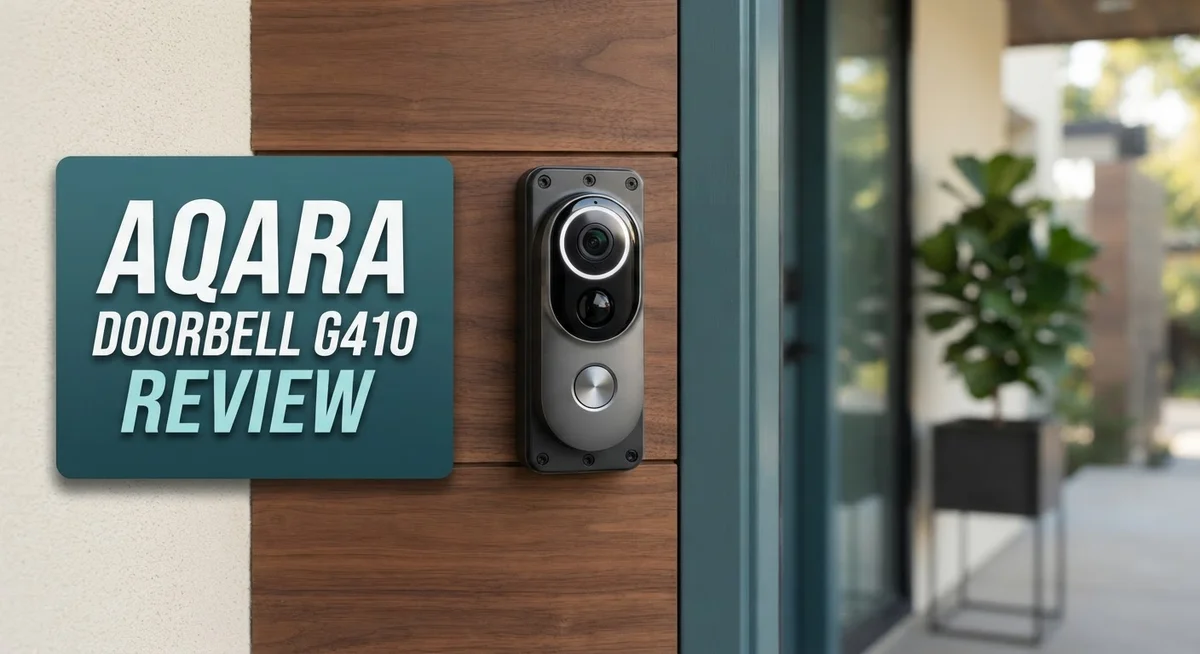
Smart doorbells keep getting smarter. The Aqara Doorbell G410 takes this idea further. It packs a hub, a radar sensor, and a sharp camera into one device.
This doorbell does not just record video. It uses mmWave radar to spot real motion. Your packages and pets will not trigger false alerts anymore.
Apple fans will love this pick. The G410 offers native HomeKit support out of the box. No extra bridge or hub is needed.
We tested the video quality, the radar accuracy, and the setup process. This review covers every detail you need. You will learn where the G410 shines and where it falls short.
Is this doorbell right for your smart home? Let us break it down together.
In a Nutshell
The Aqara Doorbell G410 packs serious smart home power into one device. Here is what stands out after our tests:
-
Sharp 2K video captures clear details with a wide 175° view. You see more of your porch in one frame.
-
mmWare radar tracks motion with real precision. It spots people, not just shadows or moving leaves.
-
This doorbell doubles as a hub. It has Zigbee, Matter, and Thread built in, so you skip buying extra gear.
-
HomeKit fans get native support right out of the box. Setup feels fast and alerts arrive quickly.
-
The design runs bulky compared to other doorbells. It may not blend into every entryway.
-
Battery life takes a hit under heavy use. You will want wired or PoE power for best results.
-
HomeKit users only see 1080p, not the full 2K feed. Keep this in mind if Apple’s ecosystem is your main platform.
This doorbell shines brightest inside the Aqara ecosystem. Outside of it, some features lose their edge.
Key Features and Specifications
The Aqara Doorbell G410 combines several standout capabilities that set it apart in the smart home doorbell market. Let’s explore what makes this device function so effectively.
Video and Vision Technology
The doorbell delivers 2K video resolution that captures fine details around your entrance. Its 175 degree wide angle lens covers most of your porch or entryway without blind spots. The 4:3 aspect ratio gives you a taller field of view, which is helpful for seeing packages on the ground or visitors of different heights.
Motion Detection with mmWave Radar
This device uses mmWave radar technology instead of simple motion sensors. This radar works through walls and can detect people with impressive accuracy. You get fewer false alerts from passing cars or swaying trees compared to basic PIR sensors.
Built In Smart Home Hub
One major advantage is the integrated hub functionality. The G410 includes Zigbee 3.0 support, which means you can connect other Zigbee devices directly to it. It also acts as a Matter controller and Thread Border Router, giving your smart home multiple connection options without needing separate hub hardware.
Power and Connectivity Options
You can power this doorbell through wired connection or Power over Ethernet (PoE). A battery backup option is available for added reliability during power interruptions. This flexibility lets you install it in various locations around your home.
HomeKit Integration
Apple HomeKit users get native support out of the box. However, HomeKit displays the video at 1080p resolution rather than the full 2K capability. This is a software limitation rather than a hardware one.
Design Considerations
The G410 has a larger footprint compared to other doorbell models on the market. This bulkier design means it’s more noticeable on your doorframe, which matters if aesthetics are important to you. The device does consume more battery power during extended use, so wired installation is often the better choice for consistent operation.

- Works with HomeKit Secure Video and All Major Ecosystems: Fully compatible with Apple HomeKit Secure Video...
- Built-In Aqara Zigbee & Matter Hub for Simple Device Control: No extra hub needed. This doorbell includes a...
- More Accurate Motion Detection with mmWave Radar: The advanced mmWave radar detects human presence with...
Last update on 2026-08-29 / Affiliate links / Images from Amazon Product Advertising API.
Video Quality and Field of View
The 2K video resolution on the G410 captures sharp details around your doorway. You’ll see faces, packages, and visitors with clarity. The 175° wide angle lens means you catch activity across a broad area without missing important moments.
Aspect ratio matters here. The 4:3 format gives you more vertical coverage than standard 16:9 cameras. This is helpful because doorbells sit at eye level. You get better views of people’s faces and upper bodies with the taller frame.
One thing to know: HomeKit shows you only 1080p video, not the full 2K. If you use HomeKit as your main app, you won’t see the complete resolution benefit. The camera records in 2K, but Apple’s interface limits the stream. This is an important distinction for HomeKit users.
The wide field of view works well for seeing your porch, steps, and nearby walkway. You don’t miss activity at the edges. The 175° lens captures almost everything in front of your door without distortion that makes objects look strange or warped.
Video quality holds up in different lighting. During daytime, the image stays crisp and detailed. The sensor handles bright sunlight without washing out colors. Night vision kicks in when needed, though low light performance depends on your porch lighting setup.
The wired or PoE power options keep the camera running constantly. This means continuous video recording and reliable playback. Battery backup is available if you want a wireless option, but the camera will drain batteries faster than other doorbells due to the mmWave radar and hub functions.
Picture quality pairs well with the motion detection. When the mmWave radar spots movement, you get alerts tied to clear video footage. You can see exactly what triggered the alarm. This combination helps you understand what happens around your entrance, whether it’s a delivery, a visitor, or just passing traffic.
Smart Home Integration and Hub Capabilities
The Aqara Doorbell G410 works as a central hub for your smart home devices. This means you don’t need to buy a separate hub to connect other Aqara products. The built-in Zigbee 3.0 hub lets you control compatible devices directly from the doorbell.
Matter support adds another layer of flexibility. The G410 acts as a Matter controller, which means it can talk to devices from different brands that support the Matter standard. This breaks down walls between ecosystems and gives you more options for expanding your setup.
The Thread Border Router feature is useful if you have Thread-enabled devices at home. Thread creates a strong mesh network that keeps your smart devices connected and responsive. The doorbell strengthens this network automatically.
HomeKit integration happens right away. Apple users get native HomeKit support without extra steps or workarounds. You can view live feeds, receive alerts, and control automations through the Home app. Just note that HomeKit displays the video at 1080p, not the full 2K resolution the doorbell captures.
The wired or PoE power options keep your hub running 24/7. This matters because hubs need constant power to manage your smart home devices. A battery backup option exists, but wired power ensures zero downtime for your network.
One important point: the mmWave radar works best when paired with other Aqara devices. The full benefit comes from using multiple Aqara products together. If you mix brands heavily, you’ll still get basic functionality, but not the advanced motion detection features.
Setup takes about 10 minutes for most users. The doorbell guides you through connecting to Wi Fi, adding it to HomeKit, and enabling hub mode. Once active, your other smart devices can connect through it instantly.
The large design fits into most door frames, but it’s noticeably bulkier than traditional doorbells. This affects how it looks on your entryway, so check your space before ordering. The hub capabilities make up for the size increase for many smart home fans.
Top 3 Alternatives
Logitech Circle View

- Circle View is an easy to use, motion detection based (non-continuous video) home security camera, with a...
- Featuring best-in-class Logitech TrueView video with 180° field-of-view optics and 1080p HD so everything is...
- High-quality sensor with wide dynamic range lets you see more detail in high contrast videos so you capture...

Last update on 2026-08-29 / Affiliate links / Images from Amazon Product Advertising API.
Logitech Circle View offers smart home security with a clean, modern design. This doorbell works well if you want easy installation and reliable video quality. The device sends alerts straight to your phone when someone rings or motion triggers.
You get two-way audio so you can talk to visitors from anywhere. The night vision feature helps you see clearly in dark conditions. Cloud storage keeps your footage safe, though you’ll need a subscription for extended recording history.
Wyze Video Doorbell

- See More with 1:1 Head-to-Toe View: Sees everything with 150°×150°ultra-wide field of view. Captures...
- Wire-Free or Wired: Up to 6 months battery life or continuous power via hardwiring. Built-in USB-C...
- See The Whole Story - Clearer: 1536x1536 HD Video Doorbell with Color Night Vision, capture all porch arrivals...
Last update on 2026-09-13 / Affiliate links / Images from Amazon Product Advertising API.
Wyze Video Doorbell brings affordable security without complicated setup. This option works great for renters and homeowners who want basic doorbell features. The camera records in 1080p and sends instant notifications to your smartphone.
Two-way talk lets you communicate with people at your door in real time. The device includes person detection, so it tells the difference between packages and people. Battery power means you avoid hardwiring if that seems too difficult.
Eufy Video Doorbell

Last update on 2026-04-26 / Affiliate links / Images from Amazon Product Advertising API.
Eufy Video Doorbell focuses on privacy and local storage. Unlike many competitors, this doorbell stores video locally on your device instead of relying only on cloud servers. That means your footage stays private and accessible even without internet.
The doorbell delivers crystal-clear 1080p video with advanced night vision. Two-way audio lets you speak with visitors clearly. Motion detection works fast and sends alerts quickly. The device fits most standard doorbell wiring setups, making installation straightforward for most homes.
Motion Detection and Security Performance
The mmWave radar detection on the G410 sets it apart from standard motion sensors. This technology detects movement through walls and obstacles, so it catches activity even when objects partially block the view. You get alerts faster because the radar responds instantly to motion.
Traditional infrared sensors rely on heat signatures. The mmWave approach works differently. It sends out radio waves and reads the reflections. This means fewer false alarms from passing cars or swaying branches. The detection accuracy improves when you pair the doorbell with other Aqara devices in your home.
The motion detection range covers your entire porch and extends to nearby areas. The 175 degree wide angle lens works together with the radar to monitor a large zone. When someone approaches your door, you receive a notification right away. The alert arrives on your phone within seconds.
One key point: mmWave radar performs best in a full Aqara ecosystem. If you use only this doorbell without other Aqara products, the detection still works. However, the system learns and improves when connected to more Aqara devices. This creates a smarter security network around your home.
The 2K video pairs well with motion detection. When the radar triggers an alert, you can pull up the live feed instantly. The sharp image quality helps you identify who or what triggered the alarm. The 4:3 aspect ratio gives you more vertical space to see faces and upper body details.
Battery backup keeps the doorbell running during power outages. The radar and camera remain active, so you don’t lose security coverage. This is important for homes that experience frequent outages. The backup battery does consume power faster than wired operation, so plan for regular charging if you rely on it heavily.
The combination of mmWave radar and high resolution video creates a strong security setup. You get fast detection plus clear visual confirmation. The system responds to real threats while filtering out false triggers. This balance makes the G410 effective for monitoring your home’s main entry point.
Power Options and Battery Life
The Aqara Doorbell G410 gives you two main ways to power your device. You can use a wired connection or Power over Ethernet (PoE). Both options keep your doorbell running all day and all night without interruption.
Wired power is the traditional choice. You connect the G410 directly to your existing doorbell wiring. This setup works well if your home already has doorbell infrastructure in place. The installation process stays straightforward for most users.
PoE is the modern alternative. It sends power through the same ethernet cable that carries your internet connection. This means you only need one cable instead of two. PoE simplifies your installation and reduces cable clutter around your doorway.
Battery backup comes as an optional addition. This backup system keeps your doorbell functioning during power outages. The battery ensures you don’t lose security coverage when the power goes down. Most users find this feature worth having for peace of mind.
Here’s something important to know: the G410 uses power more heavily than older doorbell models. The mmWave radar, 2K video processing, and hub functions all draw energy. If you rely on battery backup alone, expect shorter runtime between charges. The wired or PoE connection eliminates this concern entirely by providing continuous power.
The hub capabilities also affect power consumption. Since the G410 works as a Zigbee hub and Matter controller, it’s always processing data. This constant activity uses more electricity than a simple camera would. Again, wired power handles this without any issues.
Choose wired or PoE power if you want maximum reliability. These options guarantee your doorbell stays active around the clock. They support all features without worrying about battery drain. If you must use battery backup, plan for regular charging cycles and accept reduced runtime.
The power setup you choose shapes your overall experience with the G410. Wired solutions provide the best performance for this particular device.
Pros and Cons
Pros
- Native HomeKit support means instant integration with your Apple devices and ecosystem
- mmWave radar detection catches movement with precision that traditional infrared sensors cannot match
- 2K video delivers crisp, clear footage with a 175° wide angle view of your porch area
- Built in Zigbee 3.0 hub and Matter controller eliminate the need for a separate smart home hub
- Wired or PoE power options keep your doorbell running 24/7 without battery concerns
Cons
- Large, bulky design takes up more space than standard doorbells on your door frame
- HomeKit displays only 1080p video instead of the full 2K resolution the camera captures
- mmWave radar performance depends heavily on pairing with other Aqara devices in your home
- High power consumption means battery backup drains quickly if you rely on it during outages
Who Should Buy It
The Aqara Doorbell G410 works best for HomeKit users who want advanced security features. If you rely on Apple’s ecosystem, this doorbell integrates seamlessly without extra apps or workarounds.
You should buy this model if you already own Aqara smart home devices. The mmWave radar performs optimally when paired with other Aqara products. Your motion detection becomes more accurate across the entire system.
Tech enthusiasts benefit most from the G410’s capabilities. The built in Zigbee 3.0 hub, Matter controller, and Thread Border Router appeal to people who enjoy managing multiple smart devices. You gain centralized control without purchasing a separate hub.
Homeowners with wired power options available should consider this doorbell. If your door frame has existing doorbell wiring or PoE infrastructure, installation becomes straightforward. Wired power eliminates battery maintenance and ensures 24/7 operation.
The G410 suits people who prioritize motion detection accuracy. The mmWave radar catches movement that traditional infrared sensors miss. You get alerts for real activity, not false triggers from shadows or passing cars.
Property owners with larger entryways appreciate the 175° wide angle lens. The 4:3 aspect ratio captures more vertical space than standard doorbell cameras. You see full body shots of visitors instead of just their faces.
Avoid this model if you prefer compact, discreet doorbells. The G410 has a bulky design that stands out on door frames. Small spaces may feel crowded with this device installed.
Skip this option if you cannot commit to wired or PoE power. High battery consumption drains cells quickly without a hardwired connection. Frequent recharging becomes tedious and unreliable.
Users who need full 2K video in HomeKit should look elsewhere. The system displays only 1080p resolution through Apple’s interface, even though the camera captures 2K footage. You lose the video quality advantage when viewing through HomeKit.
This doorbell demands a full Aqara ecosystem commitment. Standalone use limits the mmWave radar’s effectiveness. Consider other options if you want a doorbell that works independently.
Final Verdict
The Aqara Doorbell G410 stands out as a smart choice for Apple users. Its native HomeKit compatibility makes it a rare find in the smart doorbell space. Few competitors offer this level of integration.
This doorbell shines brightest within the Aqara ecosystem. The mmWave radar and hub features work best when paired with other Aqara devices. Standalone use limits some of its smarter functions.
Compared to the older Aqara G4, the G410 brings real upgrades. The mmWave sensor and built in hub push this model ahead of its predecessor. These additions justify choosing the newer version.
Still, this doorbell is not for everyone. Users who want a sleek, minimal doorbell might feel let down. The bulky frame stands out on smaller door areas.
Battery users should think carefully before buying. Power drain remains a real concern for anyone without wired or PoE setup access. This factor alone could shape your daily experience.
The G410 also asks for some ecosystem commitment. You get the most value when you already use Aqara hubs or sensors. Isolated use limits some standout features.
For smart home fans building a connected setup, this doorbell fits well. It adds hub functions, strong detection, and clear video in one unit. Few doorbells combine these three elements this smoothly.
For casual buyers wanting a simple doorbell camera, other options might suit better. The G410 rewards users who want deeper smart home control. It asks a bit more from you in return.
In short, the Aqara Doorbell G410 works best for dedicated smart home users. Its strengths shine within a connected Apple and Aqara setup. Buyers outside that circle may want to look elsewhere.
This doorbell earns its place among top HomeKit options. It combines detection accuracy, video clarity, and hub function in one device. For the right household, it becomes a smart long term addition.
Frequently Asked Questions
Does the Aqara Doorbell G410 work with Apple HomeKit?
Yes, it does. The G410 has native HomeKit support, which means setup is quick and straightforward. You can view live feeds, receive alerts, and control the doorbell directly from the Home app on your iPhone or iPad.
One thing to note: HomeKit displays the video at 1080p resolution, even though the camera captures full 2K footage. This is a HomeKit limitation, not a G410 issue.
What makes the mmWave radar detection special?
The mmWave radar sensor detects movement with precision that traditional infrared sensors cannot match. It recognizes people, pets, and vehicles separately, reducing false alarms from swaying trees or shadows.
This accuracy works best when you have other Aqara devices in your home. The system learns your environment and gets smarter over time.
Can I power the G410 with a battery?
You can use battery backup, but the G410 draws significant power. Battery mode drains quickly, so wired or PoE power is the better choice for continuous operation. If you have existing doorbell wiring, installation becomes simple.
Does the G410 need a separate smart home hub?
No. The doorbell includes a built in Zigbee 3.0 hub and Matter controller. This eliminates the need for an extra device, which simplifies your setup and reduces clutter.
Is the G410 bulky compared to other doorbells?
Yes, it has a larger footprint than standard doorbells. The 175° wide angle lens and integrated hub require extra space on your door frame. Measure your entryway before ordering to ensure it fits your setup.