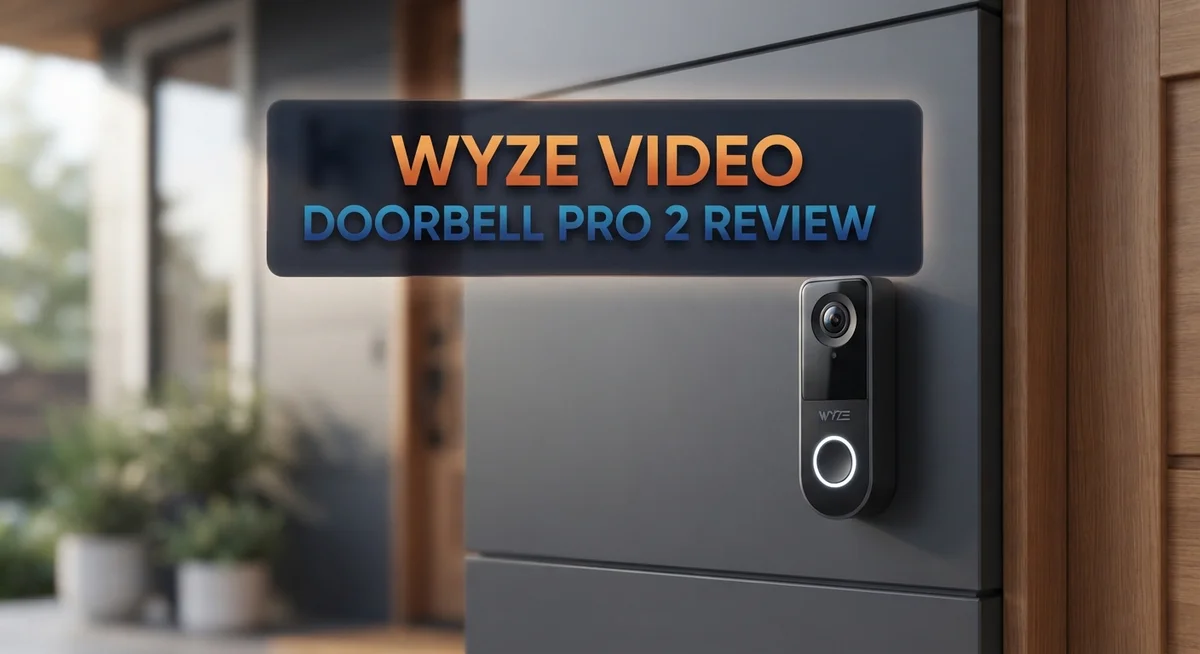
Want to see who is at your door, without breaking the bank? The Wyze Video Doorbell Pro 2 might be your answer. It packs smart features into a simple, easy to install device.
This doorbell offers 2K HD video. You get sharp, clear footage day and night. It also supports two way audio, so you can talk to visitors from anywhere.
No subscription is required to use core features. You can store footage locally on a microSD card. This gives you full control over your data.
The doorbell detects people, packages, and vehicles. It sends smart alerts straight to your phone. Setup takes about 30 seconds, so you will be up and running fast.
Is this doorbell the right fit for your home? Let’s look closer at what it offers.
In a Nutshell
Here is a quick summary of what this doorbell brings to your table:
-
Fast setup takes about 30 seconds. You can mount it and start monitoring your door right away.
-
The doorbell offers flexible power options. Choose a wired setup or go battery powered for easier placement.
-
Local storage works through a microSD card. You can store footage without relying on cloud plans.
-
Weather resistance rated IP65 means it handles rain, dust, and daily outdoor exposure well.
-
Motion activated audio lets you speak to visitors or scare off unwanted guests instantly.
-
Some users report slower battery charging when alerts keep triggering during charge cycles.
-
Compared to competitors like Ring or Nest, this doorbell holds its own with solid features and simple daily use.
This doorbell fits homes that want strong security basics without extra hassle. It balances simplicity with smart detection tools for everyday peace of mind.
Video Quality and Resolution
The Wyze Video Doorbell Pro 2 captures everything happening at your door with crystal-clear 2K HD video. This resolution gives you sharp details of visitors, packages, and suspicious activity. You can see facial features and read license plates without squinting at a blurry feed.
The camera’s wide field of view means you catch more of your porch and driveway. This helps you spot packages left at the edge of your property or vehicles passing by. The lens captures the full picture, not just a narrow slice of your entrance.
Night vision performs exceptionally well on this model. The infrared sensors kick in automatically when the sun sets. You get clear black and white footage even in complete darkness. This matters because many package thefts and suspicious visits happen after sunset.
The doorbell records at a smooth frame rate that eliminates choppy playback. When you watch footage of someone at your door, the motion looks natural and fluid. This clarity helps you identify people and understand exactly what happened.
Color accuracy stays consistent throughout different lighting conditions. Early morning, midday, and evening footage all show true colors. You can see what someone was wearing or the color of a vehicle without guessing.
Video quality remains stable whether the doorbell runs on battery power or wired electricity. You don’t sacrifice clarity for convenience with either power option. Both setups deliver the same sharp, detailed footage.
The doorbell handles glare from sunlight well. Bright reflections don’t wash out the image or create dark shadows across your porch. This means you get usable video even when the sun shines directly at your door.
Local storage keeps your footage private and accessible. Videos save to a microSD card inside your home. You control all your video data without relying on cloud servers. This approach also means you can review footage instantly without waiting for uploads or dealing with buffering issues.

- See More with 1:1 Head-to-Toe View: Sees everything with 150°×150°ultra-wide field of view. Captures...
- Wire-Free or Wired: Up to 6 months battery life or continuous power via hardwiring. Built-in USB-C...
- See The Whole Story - Clearer: 1536x1536 HD Video Doorbell with Color Night Vision, capture all porch arrivals...

Last update on 2026-09-13 / Affiliate links / Images from Amazon Product Advertising API.
Installation and Setup
Installing the Wyze Video Doorbell Pro 2 is straightforward. Most people finish the job in about 30 seconds. You have two power options: wired or battery powered. This flexibility means you can choose what works best for your home setup.
For wired installation, turn off power at your breaker first. Remove your old doorbell if you have one. Connect the Wyze wires to your existing doorbell transformer. Mount the doorbell on your wall using the included bracket and screws. The process requires basic tools you likely have at home.
Battery powered setup is even simpler. Charge the battery fully before installation. Mount the doorbell on your wall. That’s it. No wiring needed. You skip the electrical work entirely. This option works great if you don’t have existing doorbell wiring or want to avoid it.
The Wyze app guides you through the entire setup process. Download the app on your phone or tablet. Follow the on screen instructions. The app walks you through WiFi connection, account setup, and doorbell configuration. Most people complete this in minutes without confusion.
Positioning matters for best results. Install your doorbell at a standard height. Aim the camera lens slightly downward. This angle captures faces clearly and shows your entire porch area. Avoid pointing the camera directly into bright sunlight. Glare can affect video quality.
You can add a microSD card for local storage before installation. This step is optional but recommended. Local storage keeps your footage private and gives you backup recordings. The card slides into a slot on the doorbell. No technical knowledge required.
Weather resistance means you don’t worry about rain or dust damaging your doorbell. The IP65 rating protects internal components. Your doorbell handles outdoor conditions year round without issues.
Test everything after installation. Walk around your porch and driveway. Check the video feed in the app. Test two way audio to confirm sound works both directions. Verify motion detection triggers properly. These quick tests ensure everything functions correctly before you rely on your doorbell daily.
Smart Detection and Alerts
The Wyze Video Doorbell Pro 2 uses smart detection to identify what’s actually happening at your door. This means fewer false alarms from moving shadows or passing cars.
The doorbell recognizes three main types of activity. It detects people approaching your entrance. It spots packages sitting on your porch. It also identifies vehicles moving in your driveway. This intelligent sorting helps you focus on alerts that matter most.
When motion triggers, you get an instant notification on your phone. The alert arrives quickly so you can respond right away. You can then open the Wyze app to see live video of what’s happening. This real-time access lets you decide whether to investigate further or take action.
The motion-activated voice deterrence feature gives you an extra layer of protection. You can speak through the doorbell to greet visitors or warn off unwanted guests. Your voice plays through the speaker, and the other person hears you clearly. This two-way audio works whether you’re home or away from your property.
You get to customize your alert settings inside the app. You can adjust sensitivity levels for each detection type. This means you won’t get bothered by every leaf that blows across your porch. Instead, you’ll receive notifications for genuine activity.
The doorbell stores video clips locally on a microSD card. This keeps your footage private and accessible without relying on cloud servers. You can review recordings anytime directly from your phone or computer. Local storage also means you’re not paying monthly subscription fees to access your own video.
Alert notifications include a snapshot of what triggered the detection. You see exactly what the doorbell spotted before opening the full video. This preview helps you quickly assess whether something needs your attention. The combination of smart detection and instant alerts creates a responsive security system that keeps you informed about everything happening at your door.
Top 3 Alternatives
Ring Video Doorbell Pro

- Capture it all with Retinal 4K video — See your home or business in the ultimate clarity with Retinal 4K.
- Zoom in up to 10x — Catch details at a distance with up to 10x Enhanced Zoom.
- See, hear and speak to visitors on camera — With Live View & Two-Way Talk with Audio+, you’ll be able to...
Last update on 2026-04-27 / Affiliate links / Images from Amazon Product Advertising API.
Ring Video Doorbell Pro offers clear 3K video with excellent night vision. You get two-way talk so you can chat with visitors from anywhere. The device integrates smoothly with Alexa, letting you see your doorbell feed on Echo devices instantly.
This doorbell works with existing wiring, making installation straightforward. You receive person detection alerts, so you know when someone arrives. The advanced motion zones let you focus on specific areas of your porch.
Logitech Circle View

- Circle View is an easy to use, motion detection based (non-continuous video) home security camera, with a...
- Featuring best-in-class Logitech TrueView video with 180° field-of-view optics and 1080p HD so everything is...
- High-quality sensor with wide dynamic range lets you see more detail in high contrast videos so you capture...
Last update on 2026-08-29 / Affiliate links / Images from Amazon Product Advertising API.
Logitech Circle View brings smart home security to your entryway with 180-degree wide-angle viewing. The doorbell captures more of your porch than standard models. Night vision works well in low light, and you get clear footage of visitors.
This option connects to your home network easily. You can watch live video and receive alerts on your phone. The person detection feature helps reduce false alarms from passing cars or animals. Setup takes just minutes without complicated wiring.
Arlo Essential Doorbell

- Reliable Indoor & Outdoor Video Doorbell Wired/Wireless: Watch, listen and talk. Monitor your home, property...
- Arlo protects your everything. Including your privacy: At Arlo, we are as passionate about privacy as we are...
- Don’t miss a moment with the Arlo App: Get real-time notifications with motion activation & live video...
Last update on 2026-04-26 / Affiliate links / Images from Amazon Product Advertising API.
Arlo Essential Doorbell provides 1080p HD video with solid performance. The battery-powered design means no wiring needed, so installation is quick and simple. You get person, vehicle, and package detection to know exactly what’s happening outside.
The doorbell offers two-way audio for conversations with guests. Alerts come straight to your phone when motion occurs. You can customize activity zones to focus on your front door area. The device works with Arlo’s ecosystem, connecting to their security system if you have one.
Storage and Recording Options
The Wyze Video Doorbell Pro 2 gives you multiple ways to store and access your recordings. You have two main storage options that work together to keep your footage safe and accessible.
Local storage via microSD card is the primary option. The doorbell supports cards up to 256GB, which means you can store weeks or even months of video footage. You insert the card before installation, and the doorbell automatically saves recordings to it. This approach keeps your video private since it never leaves your device. You control who sees your footage, and there’s no reliance on cloud servers.
The beauty of local storage is no subscription fees. You don’t pay monthly charges to access your own video. Once you insert the microSD card, continuous recording starts immediately. This means you capture everything at your door, not just motion-triggered clips.
Setting up storage takes seconds. Before you install the doorbell, simply insert your microSD card into the slot. The doorbell recognizes it automatically when powered on. You can check your footage anytime through the Wyze app on your phone. The app lets you review clips, download important footage, or share recordings with others if needed.
Continuous recording capability sets this model apart. Unlike doorbells that only save when motion is detected, the Wyze Video Doorbell Pro 2 records constantly when you enable this feature. This means you never miss a moment, even if someone walks slowly or stands still at your door.
The microSD card approach also means faster access to footage. You don’t wait for cloud uploads or deal with buffering delays. Your videos load quickly from local storage. If you need to investigate something that happened hours ago, you simply open the app and scroll back through your recordings.
For best results, use a high-speed microSD card rated for continuous video recording. This ensures smooth playback and reliable storage. The doorbell will alert you when storage is running low, giving you time to upgrade to a larger card or back up important clips before space runs out.
Power and Battery Performance
The Wyze Video Doorbell Pro 2 offers two distinct power options to fit your installation setup. You can choose between a wired connection or battery powered operation. This flexibility means you’re not locked into one approach.
The wired option connects directly to your existing doorbell circuit. This setup provides continuous power without any interruptions. You never worry about battery depletion with this method.
The battery powered option gives you freedom in placement. You can install the doorbell anywhere on your property without running new wiring. This matters if your door lacks an existing doorbell circuit.
Battery performance is where things get interesting. The doorbell recharges when you send video footage and motion alerts to your phone. However, frequent alerts can slow down the recharge cycle. Heavy activity periods mean your battery depletes faster than expected.
Real world usage shows the battery lasts several weeks under normal conditions. Light to moderate motion activity won’t drain it quickly. Busy areas with constant motion require more frequent charging.
Charging the battery is simple. You remove the faceplate and connect a USB cable directly to the unit. The entire process takes just minutes. Most users charge their batteries every few weeks during normal seasons.
Cold weather affects battery life slightly. Temperatures below freezing reduce how long the charge lasts. You may need to charge more frequently during winter months.
The wired option eliminates battery concerns completely. Your doorbell stays powered continuously without any maintenance. This setup works best if you already have doorbell wiring in place.
Either option gives you reliable performance for your home security. The battery choice suits renters and those avoiding electrical work. The wired choice suits permanent installations where you want zero power worries.
Wyze designed both options with your convenience in mind. You pick what works best for your specific situation. Either way, your doorbell keeps working to protect your home.
Pros and Cons
Pros
- 2K HD video captures clear footage of visitors and packages at your door
- No subscription fees needed because you store everything locally on a microSD card
- Installation takes about 30 seconds whether you choose wired or battery power
- Person, package, and vehicle detection means you only get alerts that matter
- Two-way audio and motion-activated voice deterrence let you communicate and deter visitors instantly
Cons
- Incoming alerts during charging can slow down battery recharge times
- Some users report compatibility issues with certain smart home systems
- Video resolution is lower than a few premium competitors on the market
Who Should Buy It
The Wyze Video Doorbell Pro 2 works best for homeowners who want straightforward security without complexity. You should buy this if you value simplicity and easy setup.
Renters and apartment dwellers benefit greatly from the battery powered option. You can install it in seconds without drilling holes or touching existing wiring. No landlord approval needed. Just mount it, charge it, and you’re done.
Homeowners with existing doorbell wiring should choose the wired version. It eliminates battery concerns and provides continuous power. You get non-stop recording and alerts without ever thinking about charging.
This doorbell suits people who dislike subscriptions. You store footage locally on a microSD card instead of paying monthly cloud fees. Your videos stay in your hands, not on a company server.
Tech-savvy users appreciate the local storage flexibility. You can keep recordings as long as your microSD card allows. No forced cloud limits. No sudden price increases.
Families who want motion detection alerts will love the person, package, and vehicle recognition. You skip false alarms from trees or shadows. Only meaningful alerts reach your phone.
Budget conscious buyers gain peace of mind without ongoing costs. The no subscription model saves money over time compared to other systems.
This doorbell fits households with smart home systems that support Wyze integration. Check compatibility before buying if you use specific platforms.
You should skip this if you need premium video quality above 2K. Some competitors offer higher resolution.
Buyers in cold climates should know that battery life dips slightly in freezing temperatures. The wired option solves this problem completely.
The Wyze Video Doorbell Pro 2 shines for people who want security that works immediately. No complicated setup. No recurring bills. No subscription traps. Just install it, add a microSD card, and start protecting your home. The two way audio and voice deterrence give you instant communication with visitors. This doorbell answers the needs of practical homeowners seeking genuine protection without unnecessary features or expenses.
Final Verdict
The Wyze Video Doorbell Pro 2 stands out as a smart choice for anyone who wants reliable doorbell security. It delivers clear video and smart alerts without extra hassle.
Its IP65 weather resistance means it handles rain, snow, and heat without trouble. You get year round protection no matter where you live.
The v2 model also offers continuous recording. This gives you a full timeline of activity instead of just triggered clips.
Storage flexibility is another win. You can use a microSD card up to 256GB, so you rarely worry about running out of space.
When you compare this doorbell to the Ring Video Doorbell Pro 2 or the Google Nest Doorbell, the differences become clear. Those options often push you toward subscriptions and cloud storage.
Wyze takes a simpler path. It keeps your footage local and skips recurring fees. This makes it a practical pick for people who value control over their own data.
Video quality remains strong overall, though some competitors offer sharper resolution. For most households, this small tradeoff is not a dealbreaker.
If you want a doorbell that just works, this one delivers. It handles installation, alerts, and storage without extra steps.
Should everyone buy it? Not quite. If you already own a premium smart home ecosystem with strict brand requirements, you might face compatibility issues. In that case, check your system before you commit.
For everyone else, this doorbell earns a solid recommendation. It blends simplicity, smart detection, and flexible storage into one compact device.
In short, the Wyze Video Doorbell Pro 2 proves that smart security does not need to be complicated. It gives you the tools you need, keeps things local, and skips the extra costs many competitors demand.
If straightforward home security is your goal, this doorbell fits the bill perfectly.
Frequently Asked Questions
Does the Wyze Video Doorbell Pro 2 require a monthly subscription?
No. You don’t need any subscription service to use this doorbell. All your video footage stores locally on a microSD card (up to 256GB), so you keep complete control of your recordings without paying recurring fees.
Can I install this doorbell myself in 30 seconds?
Yes. The installation process is genuinely quick. You can choose between wired installation (if you have existing doorbell wiring) or battery powered setup (perfect for renters). Either way, you’ll be up and running in about half a minute.
What types of alerts does this doorbell send?
The doorbell detects people, packages, and vehicles separately. This means you only get notifications for what matters to you. You won’t waste time on false alerts from trees or passing cars. The two way audio lets you speak to visitors instantly, and motion activated voice deterrence can discourage unwanted visitors before they approach your door.
How does local storage work?
Video saves directly to your microSD card instead of uploading to cloud servers. This gives you privacy and eliminates subscription costs. The v2 model supports continuous recording, so you capture everything that happens at your door around the clock.
Will this doorbell work with my smart home system?
Most smart home setups support Wyze integration. However, some users report occasional compatibility issues with certain systems. Check Wyze’s compatibility list before purchasing to confirm your specific devices will connect smoothly.