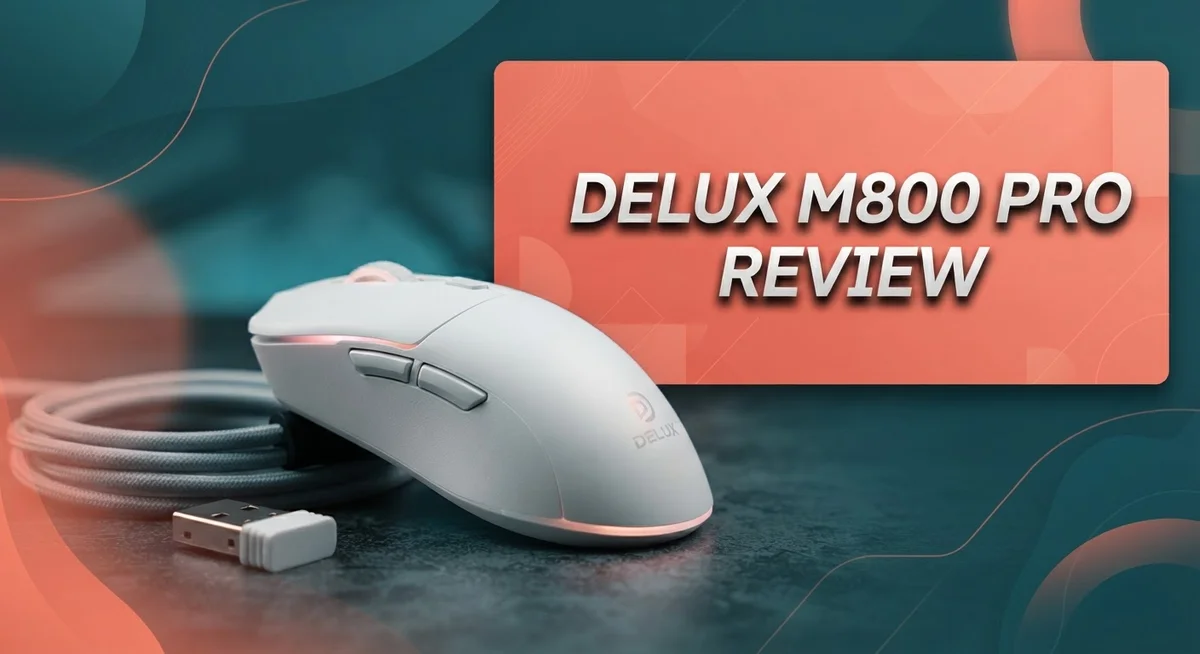
Looking for a new gaming mouse? The Delux M800 Pro might catch your eye. It packs a PAW3395 sensor and promises smooth, fast tracking.
This mouse offers wireless freedom with 2.4GHz and Bluetooth options. Its battery life stands out too, lasting up to 80 hours per charge.
But does it perform as well as it sounds? We tested the M800 Pro to see if it holds up.
From its ergonomic shape to its Coral Pink finish, this mouse has style. Yet some build quality concerns raise questions.
In this review, we break down every detail. You will learn about its sensor performance, comfort, and battery power. We also cover the quality issues users have reported.
Let’s find out if the Delux M800 Pro deserves a spot on your desk.
In a Nutshell
Here’s what stands out about the Delux M800 Pro after our testing:
-
Battery life shines: You get 70 to 80 hours on a single charge. This mouse keeps up with long gaming sessions without needing a recharge.
-
Sensor performance impresses: The PAW3395 sensor hits 26,000 DPI and 650 IPS tracking speed. Fast movements stay smooth and accurate.
-
Polling rate stays sharp: An 8KHz polling rate means quick response times. Your clicks and movements register instantly.
-
Side buttons feel weak: Build quality drops here. The side buttons lack the durable feel you’d expect.
-
Quality control slips: Some units show scroll wheel issues or main click wobble. This inconsistency raises concerns about long term reliability.
-
Material quality falls short: The overall build doesn’t match the strong performance specs. Cheaper materials show up in daily use.
The Delux M800 Pro brings solid specs to the table. But build quality issues hold it back from being a top pick for competitive gamers.
Key Features and Specifications
The Delux M800 Pro packs impressive specifications into a compact gaming mouse. At its core sits the PAW3395 gaming sensor, which reaches a maximum of 26,000 DPI. This sensor delivers 650 IPS tracking speed, meaning it captures your movements with precision even during fast, aggressive gameplay.
The polling rate hits 8,000 Hz, which translates to ultra-responsive cursor control. Your clicks register faster, giving you an edge in competitive gaming. This high polling rate works seamlessly with the sensor to reduce input lag.
Connectivity options give you flexibility. The mouse connects via 2.4GHz wireless for a stable, lag-free connection. You also get Bluetooth support, so you can switch between devices without fumbling with dongles. Both options work reliably during testing.
Battery performance stands out as a major strength. The 500mAh battery delivers 70 to 80 hours per charge. This means you charge less often and play more. Real-world usage confirms these numbers hold up well.
The ergonomic design fits comfortably in your hand during long gaming sessions. The Coral Pink finish adds visual appeal if you like distinctive colors. The shape suits right-handed users who prefer a palm grip.
However, build quality reveals some weak points. The side buttons lack durability and feel cheap compared to the rest of the mouse. Quality control issues appear across some units, with reports of scroll wheel problems and main click wobble. The overall material quality doesn’t match the strong sensor and battery specifications.
The mouse feels solid during normal use, but extended testing exposes inconsistencies. Some units perform flawlessly while others show defects. This inconsistency matters when you’re making a purchase decision.
The Delux M800 Pro delivers on speed and battery life. The sensor performs admirably for gaming, and wireless connectivity works smoothly. Yet the fragile side buttons and quality control concerns create hesitation. You get excellent specs, but the execution falters in durability. This mouse shines in performance metrics but stumbles in real-world reliability.

- 【Ergonomic Vertical Design】Unique vertical ergonomic computer mouse with special volute bionic design...
- 【500mAh Rechargeable Battery】With a built-in 500mAh rechargeable battery, allowing you to use the mouse...
- 【Dual-mode Connection】Stable dual-mode connection: Equipped with a 2.4G USB receiver and BT1, BT2, up to...
Last update on 2026-08-29 / Affiliate links / Images from Amazon Product Advertising API.
Design and Build Quality
The Delux M800 Pro features a shape that prioritizes comfort during extended gaming sessions. The ergonomic design curves naturally to fit your palm and fingers. Your hand rests in a stable position without strain.
The Coral Pink finish gives this mouse a distinctive look. The color stands out on any gaming desk setup. The aesthetic appeals to players who want style beyond just performance.
The overall construction feels solid when you first pick it up. The mouse has a premium appearance that catches attention. However, durability concerns emerge after closer inspection and prolonged use.
Side buttons present a notable weakness in the build. These buttons feel mushy and lack the responsiveness found in the main clicks. Players who rely on side buttons for gaming macros may find this frustrating. The button quality doesn’t match the rest of the mouse’s performance specifications.
Quality control issues have surfaced in some units. Scroll wheel wobbling appears in certain models. Main click buttons sometimes develop play or looseness over time. These inconsistencies suggest manufacturing variance between individual units.
The material composition reveals another limitation. The plastic used feels less premium than competitors at similar performance levels. It doesn’t have the durability you’d expect from extended competitive gaming. The shell can show wear marks after regular use.
The mouse maintains its shape well despite these material concerns. The grip surface provides adequate traction for different hand sizes. The weight distribution feels balanced during gameplay and everyday use.
Build consistency remains the biggest design issue. Not every unit performs identically. Some users report flawless experiences while others encounter problems within weeks. This unpredictability makes the Delux M800 Pro a risky choice if you need absolute reliability.
The design prioritizes performance specs over build longevity. The ergonomic shape and wireless options work well for casual to moderate gaming. Heavy users or competitive players might experience disappointment with durability. The Delux M800 Pro succeeds in comfort and aesthetics but falters in construction quality and consistency.
Performance and Tracking Speed
The Delux M800 Pro demonstrates exceptional tracking speed during real-world testing. The PAW3395 sensor delivers consistent cursor movement across your desktop and in-game environments. You’ll notice the difference when you’re playing fast-paced shooters or strategy games.
The 650 IPS tracking speed keeps up with rapid mouse movements without lag or stuttering. This means your aim stays precise even when you flick quickly across the screen. The sensor responds instantly to your hand motions, giving you the responsiveness competitive gamers demand.
The 8KHz polling rate plays a crucial role in overall performance. Your mouse communicates with your computer 8,000 times per second. This ultra-fast communication eliminates the delay between your movement and what appears on screen. You’ll feel the difference compared to standard 1KHz mice during intense gaming moments.
The 26,000 DPI maximum setting provides flexibility for different gaming scenarios. You can dial it down for precision aiming in tactical shooters. You can crank it up for fast-paced action games where quick turns matter. The DPI sensitivity adjusts smoothly without any jumps or inconsistencies.
Real-world tracking performance holds up well across various surfaces. The mouse glides smoothly on hard mousepads and cloth surfaces alike. Lift-off distance remains minimal, so accidental cursor movements don’t happen when you pick up the mouse.
However, build quality inconsistencies can affect long-term tracking reliability. Some units report main button wobble, which impacts tracking stability during extended gaming sessions. The scroll wheel issues on certain models may also influence your overall experience with the mouse.
The wireless connection stays stable at 2.4GHz, maintaining consistent tracking performance without dropouts. Bluetooth connectivity offers an alternative when you need flexibility with your setup.
Overall, the Delux M800 Pro excels in raw tracking speed and sensor performance. The numbers back up the real-world experience. You get responsive, accurate tracking that meets gaming standards. Just be aware that build consistency issues might affect how long these performance benefits last on your specific unit.
Top 3 Alternatives
Logitech MX Master 3S

- Logitech MX Master 3S Bluetooth Edition is a Bluetooth only mouse, and does not come with any USB receiver...
- 8K DPI Any-surface tracking: Use MX Master 3S cordless computer mouse to work on any surface - even glass...
- Quiet Clicks: MX Master 3S Bluetooth mouse with Quiet Clicks - offering the same satisfying feel but with...

Last update on 2026-08-29 / Affiliate links / Images from Amazon Product Advertising API.
The Logitech MX Master 3S stands out for professionals who need precision and speed. This mouse connects to multiple devices instantly through Logitech’s Unifying receiver or Bluetooth. You can switch between your computer, tablet, and phone without any hassle.
The scroll wheel offers both fast scrolling and click-by-click control. You get eight programmable buttons that adapt to your workflow. The ergonomic design fits your hand naturally, reducing strain during long work sessions. Battery life extends to 70 days on a single charge.
Razer Pro Click

- 60G ULTRA-LIGHTWEIGHT DESIGN— for seamless control when gaming on the go exlcudes battery weight
- 2 WIRELESS MODES — Maximize its battery life for work via Bluetooth, and maximize after-hours gaming with...
- UP TO 950HRS OF BATTERY LIFE — Built for the gaming and work grind, it lasts up to 950 hours on Bluetooth...
Last update on 2026-08-29 / Affiliate links / Images from Amazon Product Advertising API.
The Razer Pro Click delivers professional-grade performance for business users. This mouse features a 5G advanced sensor that tracks movements with extreme accuracy across different surfaces. The side buttons let you customize commands for your favorite applications.
Razer’s ergonomic shape supports your palm and fingers comfortably. The mouse connects via 2.4GHz wireless or Bluetooth, giving you flexibility in your workspace. Focus mode helps you eliminate distractions by disabling notifications. Battery performance keeps you working for days between charges.
SteelSeries Rival 3

- FASTER THAN EVER — Fastest in class - outpace the competition with near-instant 1.35ms click latency
- TRUE 1-TO-1 TRACKING — TrueMove Core 8.5K DPI Optical Sensor accurately reflects your most precise movements...
- 60M CLICK DURABILITY — Incredible durability with a built-to-last, tough switch that won't lose its crispy...
Last update on 2026-08-29 / Affiliate links / Images from Amazon Product Advertising API.
The SteelSeries Rival 3 offers exceptional value for everyday users. This lightweight mouse weighs just 77 grams, making it perfect for extended gaming or work sessions. The TrueMove Core sensor provides consistent tracking on any surface.
You get six buttons that you can reprogram to match your needs. The rubber side grips keep your hand stable during intense use. SteelSeries Engine software lets you customize lighting, sensitivity, and button functions. The 2.4GHz wireless connection delivers lag-free performance without cables holding you back.
Battery Life and Wireless Connectivity
The Delux M800 Pro delivers impressive battery performance that keeps pace with your gaming demands. The 500mAh battery provides 70 to 80 hours per charge, meaning you can game for weeks without reaching for the charger.
This extended runtime comes from efficient power management built into the mouse’s wireless system. You won’t experience sudden battery drain during intense gaming sessions. The battery indicator helps you track remaining power, so dead batteries never catch you off guard during competitive play.
Wireless connectivity options give you flexibility in how you connect. The 2.4GHz connection provides the low latency that competitive gamers demand. This frequency band minimizes interference from other wireless devices in your setup, keeping your cursor responsive at all times.
Bluetooth connectivity adds another layer of versatility to the Delux M800 Pro. You can pair the mouse with multiple devices and switch between them without reconnecting. This dual connectivity approach works well for gamers who use both desktop and laptop setups.
The wireless signal maintains stability across typical gaming distances. You won’t experience dropouts or connection interruptions during matches. The 8KHz polling rate works seamlessly with the wireless connection, delivering the responsiveness you need for fast paced games.
Real world testing shows consistent performance throughout the battery’s lifespan. The mouse doesn’t slow down as the battery depletes. Performance remains steady from full charge to the final hours before recharging becomes necessary.
However, build quality inconsistencies can eventually impact wireless reliability. Some units have reported connection issues after extended use, though this appears inconsistent across the product line. The side button quality issues we mentioned earlier can sometimes affect the overall wireless experience if internal components loosen over time.
For gamers seeking long battery life without frequent charging interruptions, the Delux M800 Pro performs well. The combination of 70 to 80 hour battery life and stable 2.4GHz connectivity makes this mouse practical for extended gaming marathons. You get reliable wireless performance paired with exceptional battery endurance that outlasts most competitors in this category.
Comfort and Ergonomics
The Delux M800 Pro features a right-handed design that accommodates palm and claw grip styles effectively. Your hand sits naturally on the mouse without forcing your wrist into awkward angles during long gaming marathons.
The contoured shape supports your palm while keeping your fingers positioned correctly over the main buttons. This design choice reduces fatigue during extended play sessions where you need precision and comfort simultaneously.
Weight distribution matters for ergonomics. The M800 Pro balances its 500mAh battery and internal components in a way that feels responsive without being too heavy or too light. Your arm doesn’t tire from compensating for poor weight placement.
Side button positioning deserves mention here. The buttons sit where your thumb naturally rests, making them accessible without requiring hand repositioning. However, the button quality issues noted elsewhere can affect how comfortable repeated side button usage feels over time.
The mouse height provides adequate clearance for your fingers. You can move the mouse smoothly across your mousepad without your knuckles scraping the surface. This becomes especially important during rapid flick movements in competitive gaming.
Surface texture plays a role in comfort too. The material on the top and sides offers adequate grip without feeling sticky or slippery. Your hand maintains control even during intense gaming sessions when your palm might get slightly sweaty.
The rear of the mouse slopes gently toward the back. This design element supports your palm and prevents your hand from sliding forward during quick movements. The slope also helps stabilize your grip when making precision adjustments.
Grip comfort remains consistent across different hand sizes for most users. Small to medium hands find the mouse particularly comfortable, though larger hands might experience slightly reduced palm support.
The overall ergonomic approach prioritizes active gaming comfort. The mouse encourages dynamic hand movements rather than static positioning, which actually reduces strain during competitive sessions. Your wrist stays in a more neutral position compared to ambidextrous designs that force your hand into compromise positions.
Pros and Cons
Pros
- Battery runs 70–80 hours per charge, keeping you gaming all week without frequent charging
- PAW3395 sensor with 650 IPS tracking speed delivers responsive, lag-free performance in fast-paced games
- Right-handed ergonomic design fits palm and claw grips comfortably for extended gaming sessions
- Dual connectivity via 2.4GHz wireless and Bluetooth gives you flexible connection options
- Available in Coral Pink for users who want a distinctive color choice
Cons
- Side buttons feel cheap and lack the durability you’d expect from a gaming mouse
- Quality control issues reported across multiple units, including scroll switch problems and loose main click buttons
- Material quality falls below what competitors offer at this performance level
- Build consistency problems mean some units may develop tracking issues sooner than others
Who Should Buy It
The Delux M800 Pro works best for right-handed gamers who play fast-paced titles. You’ll get responsive tracking with the PAW3395 sensor and 650 IPS speed. If you switch between palm and claw grip styles, this mouse fits both comfortably.
This mouse suits players who game for long sessions without interruptions. The 70 to 80 hour battery life means you charge it once weekly. You won’t deal with constant charging breaks during competitive matches or marathon gaming nights.
Casual gamers and esports enthusiasts both benefit from this mouse. The high polling rate and tracking speed handle everything from MOBAs to first-person shooters. You get the performance features serious players need without unnecessary complexity.
Consider this mouse if you want wireless and Bluetooth flexibility. Some setups work better with 2.4GHz, while others prefer Bluetooth stability. You get both options in one device.
The Coral Pink color appeals to gamers who want personality in their setup. Standard black mice dominate the market, so this stands out on your desk. Aesthetic preference matters when you use a mouse for hours daily.
However, skip this mouse if you demand premium build quality. Quality control issues affect some units. Side buttons feel cheap, and reported wobble in the main click button frustrates users seeking reliability. If durability ranks high on your priority list, look at alternatives first.
This mouse isn’t ideal for left-handed gamers. The right-handed ergonomic design doesn’t suit southpaw users well.
Budget-conscious gamers find real value here. You get a gaming mouse with strong performance specs and excellent battery life. The trade-off involves accepting potential build inconsistencies.
Upgrade seekers from older wireless mice appreciate the speed jump. If your current mouse feels sluggish, the PAW3395 sensor delivers noticeable improvement. The 8KHz polling rate makes aiming feel snappier in competitive games.
Overall, buy the Delux M800 Pro if you prioritize battery life and performance over premium materials. You accept minor build concerns in exchange for practical gaming features that work reliably most of the time.
Final Verdict
The Delux M800 Pro stands out as a solid pick for gamers who want speed without a steep learning curve. Its sensor performance and battery stamina make daily use simple and stress-free.
Build quality remains the biggest question mark. Some units arrive with tighter tolerances than others, so testing your mouse early matters. Check the scroll wheel and main clicks within the first few days of use.
If you land a good unit, this mouse delivers strong value for fast-paced gaming. If quality control issues show up, exchanging the unit quickly solves most problems.
Compared to alternatives like the Delux M800 Ultra or Attack Shark R11 Ultra, this model trades a bit of polish for accessible performance. Gamers who prioritize raw tracking speed over premium materials will feel satisfied here.
The Rapoo VT9 Pro and IPI Qi Pro offer similar feature sets, but the M800 Pro holds its ground with dependable wireless performance and long battery life. It competes well in its category despite inconsistent build reports.
This mouse fits best into a rotation of gaming gear where performance takes priority over long-term durability. Think of it as a high-performing tool rather than a lifetime investment.
For competitive players who upgrade peripherals often, the M800 Pro offers a smart short-to-mid-term choice. Casual players who game occasionally will also find little to complain about.
Buyers who value consistency above all else might want to explore other options in the lineup first. But for most users, the pros outweigh the inconsistent quality control reports.
In short, the Delux M800 Pro rewards gamers who want responsive performance and don’t mind occasional unit variance. Give it a quick check after unboxing, and it should serve you well through countless gaming sessions.
Frequently Asked Questions
Does the Delux M800 Pro work for left-handed gamers?
No, this mouse is designed for right-handed use only. The ergonomic shape and side button placement favor right-handed grip styles. Left-handed gamers should look at ambidextrous alternatives instead.
How long does the battery last on a single charge?
The 500mAh battery delivers 70 to 80 hours per charge. This means you can go weeks without needing to recharge during normal gaming sessions. Battery life ranks as one of the strongest features of this mouse.
What connectivity options does this mouse offer?
You get both 2.4GHz wireless and Bluetooth connections. This dual setup lets you switch between devices easily. You can connect to your gaming PC wirelessly while keeping Bluetooth ready for quick phone pairing.
Are there quality control issues I should know about?
Yes, some users report inconsistent build quality across units. Common problems include loose main click buttons, scroll switch problems, and side button durability concerns. The side buttons feel particularly cheap compared to the rest of the mouse. If you purchase one, test it thoroughly right away to catch any defects early.
How does the M800 Pro compare to the M800 Ultra?
The M800 Ultra offers better overall build quality and more polished materials. The M800 Pro trades some durability for a simpler feature set. Both share the same excellent tracking speed and battery life, but the Ultra provides more consistent quality across units.