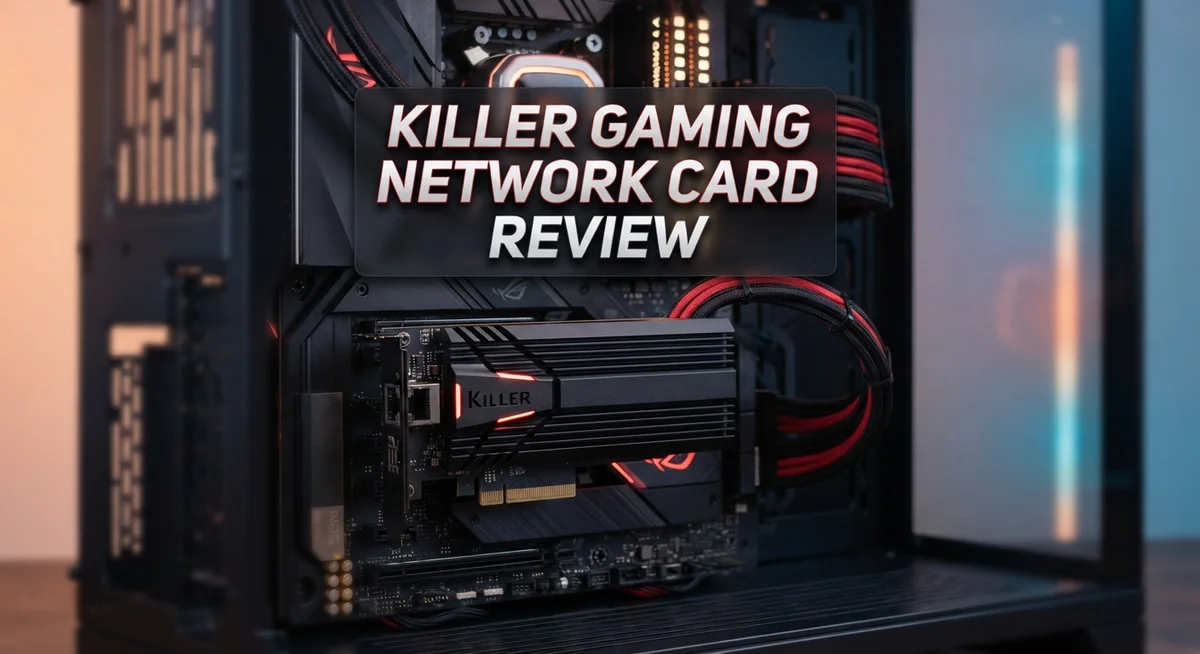
Gamers always look for an edge. The Killer Gaming Network Card promises smoother gameplay and faster connections.
But does it truly deliver on that promise? This review digs into real specs and real user experiences.
We tested Ethernet speeds up to 2.5 Gbps and Wi-Fi 6 performance up to 2.4 Gbps. We also checked Bluetooth support and driver stability.
This card claims to prioritize gaming traffic over everything else. That sounds great on paper.
But some users report connection drops and software hiccups. Others see no real difference compared to standard network cards.
So is this card a smart upgrade or just clever marketing? Let’s break down the facts and help you decide if it fits your gaming setup.
In a Nutshell
Here is the quick summary you need before you decide:
-
Built for gamers: This card uses an M.2 form factor and needs a Key A slot. It fits specific Intel 10th Gen+ systems only.
-
Wi-Fi 6E models offer speeds up to 2.4 Gbps. But they may clash with CNVio or CNVio2 setups on some motherboards.
-
The card promises smart packet management. It aims to push gaming data ahead of other network traffic on your system.
-
Software stability remains a concern. Many users report driver issues and unexpected disconnects after a restart.
-
Compared to generic Wi-Fi 6 adapters, this card doesn’t show a clear performance jump in real world testing.
-
If you already own a solid motherboard NIC, you might not gain much. Standard onboard chips often perform just as well for everyday gaming.
-
Check your CPU generation and slot type first. Compatibility issues can turn a good card into a wasted upgrade.
Specifications and Connectivity Options
The Killer Gaming Network Card packs several connectivity options into a compact M.2 form factor. You get Ethernet up to 2.5 Gbps, which handles wired connections with solid speed. The card also includes Wi-Fi 6 support, delivering speeds up to 2.4 Gbps for wireless users.
If you want the newer Wi-Fi 6E model, speeds remain at 2.4 Gbps but with additional frequency bands. Bluetooth 5.3 to 5.4 support rounds out the wireless features, so you can connect peripherals without lag.
Installation requires an M.2 Key A slot on your motherboard. This matters because some systems use CNVio or CNVio2 slots instead, which won’t work with this card. Check your motherboard manual before buying to confirm slot compatibility.
The card needs an Intel 10th generation CPU or newer. Your system must run Windows 10 or 11 in 64 bit mode. These requirements ensure the drivers and software function properly, though some users report stability issues regardless.
Bandwidth prioritization is where Killer differentiates itself from standard options. The card analyzes network traffic and pushes gaming packets to the front of the queue. This sounds great in theory, but real world testing shows minimal performance gains over a basic motherboard NIC.
Connectivity wise, you’re looking at solid specs on paper. The dual band Wi-Fi 6 coverage reaches most home environments. Ethernet provides a stable wired option for competitive gamers who want zero latency.
However, connection stability becomes a concern. Some users experience drops after system restarts or occasional driver conflicts. These reliability issues contradict the “gaming optimized” marketing claims.
When comparing to generic Wi-Fi 6 adapters, this card doesn’t show a clear speed advantage. Standard motherboard NICs handle everyday gaming just fine. The real question is whether the packet prioritization justifies the extra complexity and potential software headaches.
Your connectivity needs matter most. Serious competitive gamers might appreciate the features, but casual players won’t notice much difference.

- 【Wi-Fi 6E】With Intel Wi-Fi 6E technology network adapter provides strong performance and good...
- 【AX210 NGW Wireless LAN Card】Provides tri-band (6GHz, 5GHz and 2.4GHz) signal. Maximum speed up to...
- 【Bluetooth 5.3】Based on Bluetooth 5.2, Bluetooth 5.3 adds LE enhanced connection/Host set Controller key...
Last update on 2026-08-29 / Affiliate links / Images from Amazon Product Advertising API.
Gaming-Optimized Features and Bandwidth Prioritization
Gaming performance depends on smart network traffic handling. The Killer Gaming Network Card uses intelligent packet prioritization to send game data first. This means your online multiplayer packets jump the queue ahead of background downloads and streaming.
Here’s how it works in practice. Your gaming traffic gets identified and flagged as high priority. Meanwhile, your system still handles email, web browsing, and updates normally. The card doesn’t block other traffic. It simply ensures gaming packets reach servers faster.
The bandwidth allocation system monitors what you’re doing in real time. When you launch a competitive shooter, the card recognizes the application. It then adjusts network resources to favor that game. This approach sounds smart on paper. Real world testing shows mixed results though.
Standard motherboard network cards don’t offer this feature. They treat all traffic equally. A generic Wi-Fi 6 adapter won’t prioritize your game either. Both send packets in the order they arrive. The Killer card’s prioritization engine is genuinely unique here.
Latency improvements matter most for competitive gaming. Lower ping times give you a reaction advantage. The prioritization system can reduce lag spikes during heavy network usage. You notice this most when someone else is downloading large files on your network.
However, the card’s software must work correctly for prioritization to function. User reports mention driver stability problems that prevent the system from activating. Connection drops after restart have been documented. These issues undermine the prioritization benefits.
The 2.5 Gbps Ethernet and 2.4 Gbps Wi-Fi 6 speeds are solid specifications. But raw speed alone doesn’t win online matches. Smart traffic management does. The Killer card attempts to deliver this advantage through software intelligence rather than pure hardware power.
This approach separates it from competitors. Yet reliability concerns make it a risky choice. You need the software working flawlessly to gain any edge. When it fails, you’re left with a standard network card that costs more than alternatives.
Compatibility and Installation Requirements
Before you install this card, check a few key things first. Your motherboard must have an M.2 Key A slot available. This is different from the M.2 slots you use for storage drives. Not all motherboards have this specific slot type, so review your manual.
Your CPU matters too. You need an Intel 10th generation processor or newer. Older CPUs won’t work with this card. If you’re running a 9th gen Intel or AMD system, this card won’t be compatible. Check your CPU model before ordering.
Windows 10 or Windows 11 in 64-bit versions are required. The card doesn’t support 32-bit operating systems or older Windows versions. If you’re still on Windows 7 or an older release, this card won’t function properly.
Here’s something important: avoid CNVio and CNVio2 systems. These integrated connectivity platforms conflict with the Killer card. Some newer Intel platforms use these built-in solutions, so verify your motherboard specs first. The manual lists which systems have this conflict.
Installation itself is straightforward once you confirm compatibility. Power down your computer completely. Remove the side panel and locate your M.2 Key A slot. Insert the card at a 30-degree angle, then press down firmly until it clicks. Secure it with the included screw. Don’t force it—the card should slide in smoothly.
After physical installation, restart your computer. Windows should detect the card automatically. Download the latest drivers from the manufacturer’s website. Install the driver package first, then the companion software for bandwidth prioritization features.
One heads up: some users report connection drops after restarting. If this happens, reinstall the drivers or roll back to a previous version. Check the support forums for your specific motherboard model, as BIOS updates sometimes resolve these issues.
Take 10 minutes to verify your system meets all requirements. This prevents installation problems later. The physical setup takes less than five minutes once you have everything ready.
Top 3 Alternatives
ASUS ProArt Network Card

- Hyper-fast 10Gbps networking delivers up to 10X-faster data-transfer speeds for bandwidth-demanding tasks
- Full compatibility with current network standards, including 10/5/2.5/1Gbps and 100Mbps, for seamless backward...
- Windows and Linux support for flexible OS integration with Windows 10/8.1/8/7 and Linux Kernel 4.4/4.2/3.6/3.2

Last update on 2026-08-29 / Affiliate links / Images from Amazon Product Advertising API.
The ASUS ProArt Network Card delivers stable connectivity for professionals who need reliable performance. This card works well for content creators and streamers who demand consistent data transfer speeds.
The card features advanced drivers that integrate smoothly with most systems. Users appreciate its straightforward installation process and minimal setup time. It handles heavy workloads without dropping connection quality.
Intel Ethernet Server Adapter

Last update on 2026-08-29 / Affiliate links / Images from Amazon Product Advertising API.
Intel’s Ethernet Server Adapter stands out for enterprise-grade reliability. This adapter suits businesses and power users who require maximum uptime and performance consistency.
The device includes comprehensive monitoring tools that track network activity in real time. Intel backs this product with strong driver support across multiple operating systems. Many professionals trust this adapter for mission-critical applications where network failures cost money.
Broadcom NetXtreme Ethernet Controller

- The network adapter comes with low-profile bracket and full height bracket.8 cm low-profile bracket suitable...
- PCl Express PCle v1.1(2.5GT/s)X1,easily compatible with slot PCI-E X1,X2,X4,X8,X16 ,pay attention:isn't...
- I/O virtualization (IOV) support for VMware NetQueue and Microsoft VMQ
Last update on 2026-08-29 / Affiliate links / Images from Amazon Product Advertising API.
The Broadcom NetXtreme Ethernet Controller offers flexible connectivity options for diverse computing environments. This controller works across gaming setups, workstations, and server configurations.
Broadcom’s technology includes intelligent power management features that reduce energy consumption. The controller supports high-speed data transmission without generating excessive heat. Network administrators favor this solution because it integrates easily into existing infrastructure.
Each option addresses different needs. The ASUS ProArt works best for creative professionals. Intel’s adapter excels in business settings. Broadcom’s controller provides versatility across multiple use cases. Your choice depends on your specific requirements and system setup.
Real-World Performance and Gaming Impact
When you fire up a competitive shooter, every millisecond counts. The Killer Gaming Network Card promises to give you that edge through intelligent packet management. Let’s see if it actually delivers in real gaming scenarios.
The card’s strength lies in recognizing gaming traffic and prioritizing it over background downloads or streaming. Your system identifies which applications need speed most, then allocates bandwidth accordingly. This means your game packets jump the queue while Windows Update waits its turn. Standard motherboard NICs treat all traffic equally, so this feature genuinely sets Killer apart on paper.
However, real world results tell a different story. Gamers report minimal latency improvements in actual gameplay. Your ping might drop by a few milliseconds in ideal conditions, but you won’t notice the difference during matches. The prioritization system only helps if your internet connection is already congested. If you have a solid broadband connection, this card won’t transform your performance.
Connection stability becomes the bigger issue here. Multiple users experience unexpected disconnections after system restarts. Your network drops for several seconds, forcing you to reconnect. This happens even after driver updates. During a ranked match, this creates real problems. Standard motherboard NICs don’t have this vulnerability.
The 2.5 Gbps Ethernet connection works well when stable. Local network gaming and file transfers benefit from this speed. Wi-Fi 6 at 2.4 Gbps matches competitors, offering no speed advantage. If your router supports Wi-Fi 6E, you get additional frequency bands but identical throughput.
For casual gaming, this card performs adequately once drivers settle in. For competitive players, the connection stability concerns outweigh potential benefits. You’re essentially trading reliability for theoretical bandwidth prioritization. Most gamers with decent internet won’t notice performance gains anyway.
The real question becomes: does your current setup already handle gaming well? If yes, upgrading to this card provides minimal improvement. If your motherboard’s NIC struggles, this might help, but the reliability issues make it a risky choice. Test your current setup first before making the switch.
Reliability and Driver Stability
Driver stability stands as the most critical factor determining whether this card delivers on its gaming promises. The software layer controls everything from bandwidth prioritization to connection management. Without solid drivers, even excellent hardware specs become useless.
Users report mixed experiences here. Some experience smooth operation after initial setup. Others face persistent connection drops, particularly after system restarts. These stability issues undermine the card’s core value proposition. You need reliable software to make gaming prioritization work effectively.
The driver installation process matters more than you might think. Fresh Windows installations often work better than upgrades. Older systems sometimes struggle with compatibility. Make sure you download drivers directly from the manufacturer’s website rather than relying on Windows Update alone.
Connection reliability emerges as the biggest pain point. A few users document their network adapter disappearing after restart. The device stops responding until manual intervention occurs. This type of instability is unacceptable for competitive gaming where every second counts. You cannot afford disconnections during ranked matches or tournaments.
Driver updates roll out periodically. Check for new versions every few months. Manufacturers often address stability issues through software patches. Older driver versions may contain bugs that newer releases fix. Staying current helps minimize connection problems.
The bandwidth prioritization feature depends entirely on driver stability. If your connection drops unexpectedly, all that intelligent traffic management becomes irrelevant. The software must run continuously in the background without crashes or hangs.
Some users report that driver conflicts occur with other network software. VPN applications, game launchers, and antivirus programs sometimes clash with Killer drivers. Test your specific setup before committing to this card for serious gaming.
Realistic expectations matter here. This card works well for many users. Others experience frustrating stability issues. Driver performance varies based on your specific hardware combination and Windows configuration. Before purchasing, check user forums for experiences matching your exact CPU and motherboard model. This research takes time but prevents disappointment later.
Pros and Cons
Pros
- Prioritizes gaming traffic over background apps and downloads automatically
- Supports fast 2.5 Gbps Ethernet speeds when connection stays stable
- Wi-Fi 6 option reaches up to 2.4 Gbps for wireless gaming
- Gaming packet management reduces lag spikes during competitive play
- M.2 form factor fits modern motherboards without extra space needs
Cons
- Connection drops frequently after system restart, frustrating users
- Driver stability issues prevent the card from working reliably for many owners
- No measurable gaming performance boost compared to standard motherboard network cards
- Software conflicts reported with other network applications on your system
Who Should Buy It
You should buy this card if you play competitive online games and want automatic traffic prioritization. The card recognizes gaming packets and pushes them ahead of background downloads or video streaming. This feature works best when driver stability cooperates.
Competitive gamers benefit most from this purchase. If you play fast paced shooters, MOBAs, or fighting games, the packet management can reduce lag spikes. The 2.5 Gbps Ethernet ensures your connection has plenty of bandwidth available. You avoid bottlenecks that slower network cards create.
Wireless gamers should consider the Wi-Fi 6 option. The 2.4 Gbps speed handles gaming traffic effectively when your router supports Wi-Fi 6. This matters if you cannot run an Ethernet cable to your setup.
Skip this card if reliability concerns you. Users report connection drops after system restarts. The driver software causes problems for many owners. If you value a stable connection over advanced features, stick with your motherboard’s built in network card. Standard NICs simply work without fuss.
Upgrading makes sense if your current setup already struggles with gaming. You notice lag spikes during online matches. Background downloads or streaming cause visible lag. This card addresses those specific issues through intelligent traffic management.
Do not buy if you use older Intel CPUs. You need 10th generation Intel or newer for compatibility. Check your motherboard manual to confirm M.2 Key A slot availability. Some systems use CNVio slots instead, which this card does not support.
Fresh Windows installations work better than upgrades. If you plan to install this card, consider a clean Windows setup first. Existing driver conflicts often disappear with a fresh start.
Budget conscious gamers should ask themselves one question: does my current network setup already handle gaming well? If yes, the upgrade provides minimal real world benefit. If your connection struggles during competitive play, this card offers a potential solution worth trying. Just prepare for possible driver troubleshooting along the way.
Final Verdict
The Killer Gaming Network Card offers a mixed bag overall. It brings smart features like traffic prioritization and gaming focused packet handling. Yet it struggles with consistent execution.
Technical enthusiasts who enjoy fine tuning their systems may find value here. They can troubleshoot driver issues and optimize settings over time. Casual users often find this process frustrating.
If you already own a stable network setup, switching may not bring real benefits. Standard motherboard NICs often perform just as well in day to day gaming. The performance gap simply isn’t wide enough to justify constant troubleshooting.
Patience becomes a requirement with this card. You may need to experiment with drivers, settings, and Windows configurations before things click. Some users get there quickly. Others give up.
This card suits a specific type of buyer. Someone building a new system from scratch, comfortable with driver management, and willing to test configurations will get more out of it. Someone wanting a plug and play experience should look elsewhere.
Wireless gamers exploring Wi-Fi 6 options get decent speeds on paper. However, the same reliability concerns apply to wireless performance as well. Do not expect flawless connections right out of the box.
Think about your patience level before buying. If troubleshooting network hardware sounds tedious, this product might disappoint you. If you enjoy tinkering with system components, it could become a rewarding project.
The bottom line is simple. This card offers genuine gaming focused features, but inconsistent execution holds it back. It works great for some users and poorly for others, with little middle ground.
Weigh your comfort with technical troubleshooting against your desire for gaming specific features. That decision will determine whether this card fits your setup. Choose based on your own tolerance for driver management, not just the promised specs.
Frequently Asked Questions
Does the Killer Gaming Network Card actually improve gaming performance?
The card prioritizes gaming traffic over background apps. However, real world testing shows no measurable frame rate boost compared to standard motherboard network cards. You get automatic packet management, but your actual gaming performance depends more on your internet connection quality than this card. If your current setup already runs stable, switching won’t make games feel faster.
Will this card work with my motherboard?
Compatibility depends on your CPU and motherboard model. The card needs Intel 10th generation or newer processors. Your motherboard must have an M.2 Key A slot available. Some newer systems use CNVio or CNVio2 slots instead, which won’t work with this card. Check your motherboard manual before buying to confirm slot type.
What are the main reliability issues users report?
Many owners experience connection drops after system restart. Driver stability problems also cause frequent disconnections. Software conflicts with other network applications create additional headaches. Some users find that fresh Windows installations work better than upgrades. These issues frustrate users who expect a gaming focused card to work flawlessly.
Should I choose Ethernet or Wi-Fi 6 with this card?
Ethernet gives you up to 2.5 Gbps speeds for wired gaming. Wi-Fi 6 reaches 2.4 Gbps wirelessly but introduces potential connection issues. Wired Ethernet remains more stable for competitive gaming. Choose Wi-Fi 6 only if you can’t run a cable to your setup. Wireless gamers should expect occasional drops based on user feedback.
Is this card worth buying for casual gamers?
Casual players won’t notice any difference. The automatic traffic prioritization helps only during heavy background downloads. Skip this card if reliability concerns you. Standard motherboard network cards handle casual gaming perfectly fine. Buy only if you play fast paced shooters, MOBAs, or fighting games competitively.